
How to Cite a Screenshot: APA 7, MLA & Chicago Examples
Cite the original source behind a screenshot. See APA 7, MLA, Chicago, and Harvard examples, figure captions, and the source details to save for later.
You do not cite the screenshot. You cite the thing the screenshot is of — the web page, the video, the app — and if you reproduce the image, you present it as a figure with a source note. No major style guide has a "screenshot" reference type. That single fact resolves most of the confusion.
Key takeaways
- Cite the original source (the page, video, or app), not the screenshot. No major style guide has a screenshot reference type.
- If you reproduce the image, add a figure caption that credits the original. That is separate from the reference list entry.
- Every style asks for the same facts: author, title, site, publication date, URL, and sometimes the date you accessed it. A PNG keeps none of them.
- Save the link and the access date at the moment you capture, not weeks later.
The short answer
A screenshot is a copy of something else. The citation belongs to the original: its author, its title, the site or platform it lives on, the date it was published, and the URL. Your screenshot is evidence that you saw it, not a source in its own right.
Two things follow. First, the reference entry looks like a normal citation for that medium — a web page citation for a web page, a video citation for a video. Second, if the image itself appears in your document, it needs a figure caption crediting the original, which is a separate requirement from the reference list.
Style guides revise their rules, and departments vary. Check the edition your institution requires before you submit — the patterns below reflect the current major editions at the time of writing.
What a screenshot loses the moment you take it
Here is the practical problem, and it is the reason so many people are searching for this in the first place.
A PNG contains pixels. It does not contain the URL you were looking at, the author's name, the publication date, or the date you accessed it. The moment you press the shortcut, every piece of information a citation requires is separated from the thing you kept.
Weeks later, when you need to cite it, you are left reverse-engineering: searching a remembered phrase, scrolling your history, trying to find a page that may have been edited or removed. Anyone writing a dissertation or a literature review meets this at the worst possible moment — we wrote about the wider pattern in research workflows for students. Sometimes it works. Often the page has changed, and you can no longer honestly claim the screenshot shows what the live page says.
This is why "how do I cite a screenshot" is usually the wrong question at the wrong time. The answer is easy. Recovering the source months later is the hard part.
Screenshot citation by style
Each pattern below cites the underlying source. Replace the placeholders with the details of the page, video, or app you captured.
APA 7
APA has no screenshot category. Cite the source, and treat any reproduced image as a figure.
Reference list (web page):
Author, A. A. (Year, Month Day). Title of the page. Site Name. https://example.com/page
In text: (Author, Year)
If the image appears in your paper: number it as a figure, give it an italic title, and add a note beneath crediting the original — APA's standard phrasing is "From" for a reproduction and "Adapted from" when you have modified it, followed by the source details and copyright status.
MLA 9
MLA works from a containers model: the work, then whatever contains it.
Works Cited (web page):
"Title of the Page." Website Name, Day Month Year, example.com/page.
In text: ("Title of the Page")
If the image appears in your paper: label it as a figure with a caption. When the caption gives full source details, MLA does not require a separate Works Cited entry for that image — though including one is not wrong.
Chicago
Chicago offers notes-bibliography and author-date. For a captured web page in notes-bibliography:
- Author First Last, "Title of the Page," Site Name, Month Day, Year, https://example.com/page.
Bibliography:
Last, First. "Title of the Page." Site Name. Month Day, Year. https://example.com/page.
Reproduced images carry a caption with a source line beneath the figure.
Harvard
Harvard is a family of styles rather than one manual, so institutional variants differ. A common pattern:
Author/Organisation (Year) Title of the page. Available at: https://example.com/page (Accessed: Day Month Year).
Harvard variants generally expect the access date, which matters more for screenshots than for print — you are asserting what a page said on a particular day.
What each style needs you to have kept
The formats differ, but they ask for the same handful of facts. This is the checklist worth running at the moment you capture, not the moment you write.
| Detail | APA 7 | MLA 9 | Chicago | Harvard |
|---|---|---|---|---|
| Author or organisation | Yes | Yes | Yes | Yes |
| Title of the page or work | Yes | Yes | Yes | Yes |
| Site or platform name | Yes | Yes | Yes | Sometimes |
| Publication date | Yes | Yes | Yes | Yes (year) |
| URL | Yes | Yes | Yes | Yes |
| Date you accessed it | Only when the content is undated or likely to change | Optional | Optional | Usually expected |
Notice that five of the six are properties of the page, and none of them survive in the image file. That is the whole difficulty in one row: the URL is required by every style and is the first thing a screenshot throws away.
Screenshots that need extra care
The page has changed or disappeared
If the live page no longer matches your screenshot, the citation alone is no longer sufficient evidence. Cite the source as normal, and note the date you accessed it. Where the page still exists in an archive, citing the archived URL alongside the original is the more honest option, because the reader can verify what you saw.
The screenshot is of ChatGPT or another AI tool
This is now a common case, and it is genuinely different: the output is not a published work with a stable URL. APA directs writers to cite the tool itself — the organisation that made it, the version, and a link to the tool — rather than treating the output as personal communication, and to reproduce the prompt and response in an appendix or in the text so a reader can see what was generated. MLA treats the prompt as the title of the source and names the tool as the container.
The part that matters for a screenshot is evidential rather than formal: your reader usually cannot open the conversation. The image is carrying more weight than it would for a public page, so state in the text that it is a capture of a session on a given date, and keep the prompt with it.
The screenshot is of a video, an app, or a paywalled page
Cite the medium, not the capture. A still from a video is cited as the video, with a timestamp. A screenshot of an app is cited as software. A paywalled article is still cited as the article — the paywall changes your reader's access, not the source's identity.
How to keep a screenshot citable
The formatting rules above take a minute. Keeping the source attached takes a habit. A few things that work regardless of the tools you use:
- Save the link at the same moment as the image. Not later. Later does not happen.
- Record the access date. For anything that can change, the date is part of the claim you are making.
- Capture enough context. A crop that omits the headline, the byline, or the URL bar is harder to defend and harder to trace.
- Keep the original page reference, not just the image. The image is your evidence; the reference is your citation.
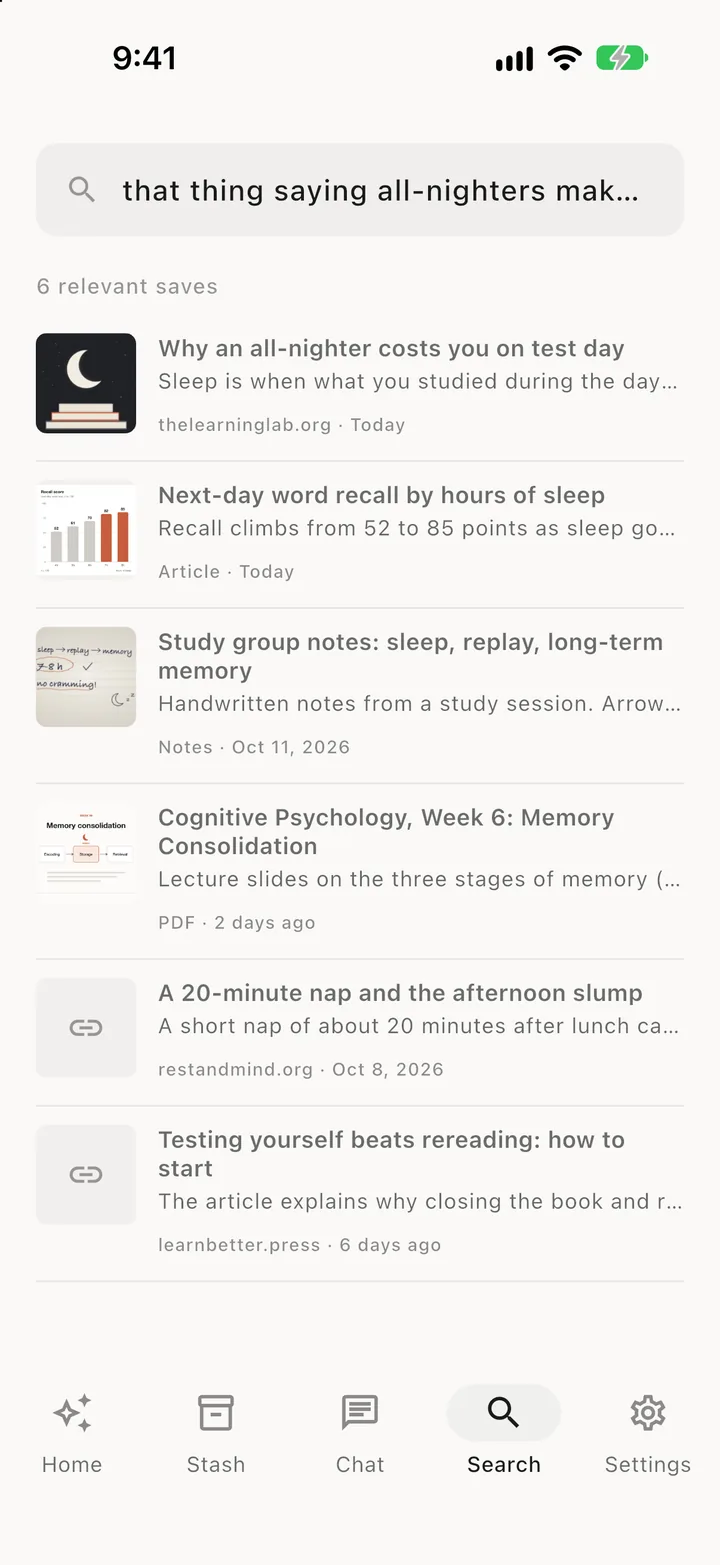
When you save a web link in SnapStash, the source URL, domain, and save date stay with the content. A screenshot alone may not contain its original URL: save the link too, and record the author, title, and publication date you need for a citation. AI OCR text extraction can help you find a saved capture by a phrase you remember.
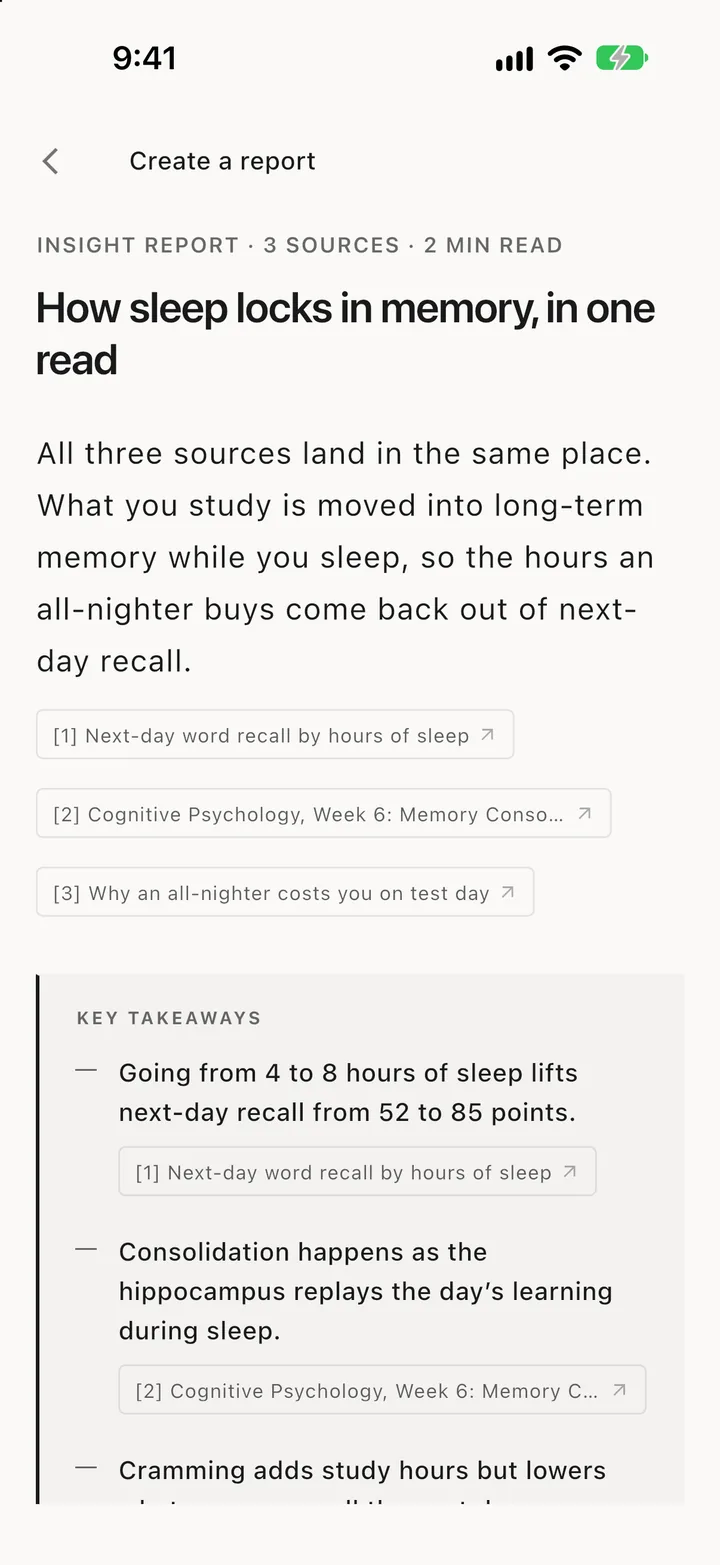
Reports generated from selected items link passages back to those saves, so you can review the source before citing it. For lecture notes and reading material, see the student screenshot workflow; for a research-wide setup, see how researchers capture, organize, and cite screenshots.
To be clear about the limit: SnapStash does not generate formatted citations. It will not hand you an APA reference string. What it does is keep the source information from being lost in the first place, which is the part that formatting guides cannot help you with.
Frequently asked questions
Do I need a reference entry for a screenshot I took myself?
You need a reference for the source you captured. The screenshot itself is your reproduction of it. If the image appears in your document, it also needs a figure caption crediting the original.
How do I cite a screenshot when I cannot find the original page?
If you cannot identify the source, you cannot cite it, and most readers will treat unattributed images as unsupported. Check web archives first. If the source is genuinely unrecoverable, the honest options are to describe it in the text without presenting it as evidence, or to leave it out.
Is a screenshot enough proof on its own?
For an academic argument, generally not. A screenshot shows what you saw; a citation lets a reader verify it independently. The pair is what carries weight, which is why keeping the URL matters more than keeping the image. If you are collecting sources over a long project, permanent recall is the property that decides whether last term's capture is still traceable.
Do I need permission to reproduce a screenshot?
Citation and permission are separate questions. Crediting a source is not the same as being licensed to reproduce it. Short excerpts in academic work often fall under fair use or the equivalent local exception, but that depends on your jurisdiction and the use — check with your institution when the image is central to a published work.
In short
Cite what the screenshot shows, not the screenshot. Use the normal pattern for that medium in your style, add a figure caption if you reproduce the image, and record the access date for anything that can change. And save the link at the moment you capture, because every citation style assumes you still know where the thing came from.
Stop losing what you save
SnapStash reads every screenshot, link, and PDF you save, so you can find it again in the words you actually remember.
Related Articles
SnapStash Discover: Find What Is Worth Reading Next
SnapStash Discover finds articles worth reading from your chosen topics and saves, with a summary and a reason for each. Weekly on Free, daily on Premium.
AI Screenshot Organizer: Find Saved Screenshots Again
See how AI screenshot organizers use OCR, tags, summaries, and natural-language search to turn saved captures into reusable knowledge.
AI Knowledge Management: How Smart Storage Works
AI knowledge management reads what you save, tags it and finds it by meaning. See how smart storage works for screenshots and notes, and what to look for.